
This is an Censhare Cloud feature.
You only see this feature if your Censhare Cloud instance has been set up for this.
This requires a valid license for this feature.
Introduction
Administrators can manage which video masters are eligible for indexing and trigger a full sync via Censhare Cloud Cockpit.
Requirements
You must have a Devseat license to access the Cockpit of the desired Censhare Cloud instance.
How to open it
-
In Cockpit, open Configurations in the sidebar.
-
Open AI-powered features.
-
Select the Video AI Search tab (alongside other AI tabs if your build exposes them):
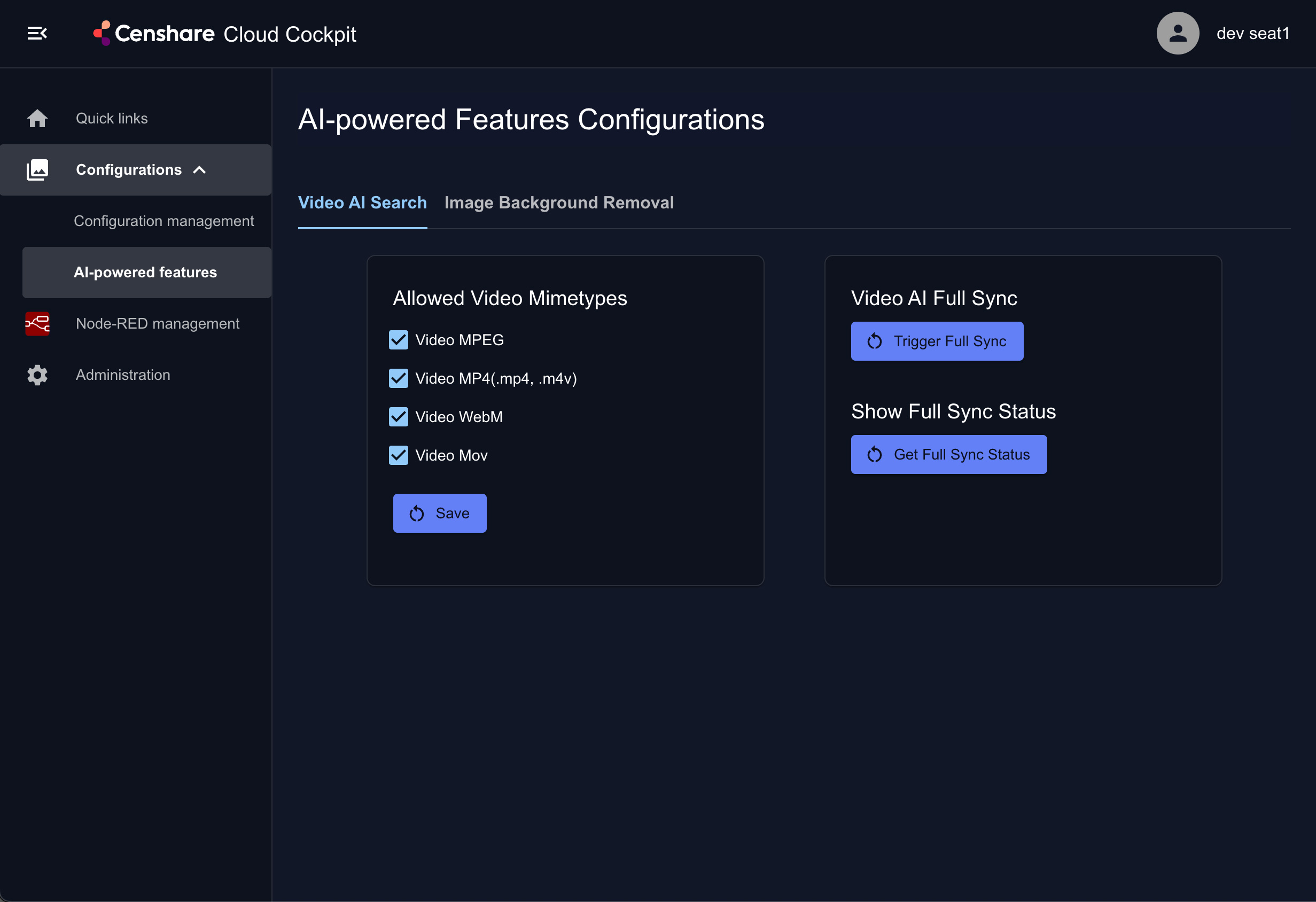
Allowed video MIME types
This panel lists video MIME type families that the indexing logic may treat as eligible when it evaluates assets. This is aligned with the Video AI configuration schema shipped in Helm, for example video-ai-search-schema.json. You find this file in the configuration Git repository of your Censhare Cloud instance. For more information on Git, see Use Git for solution development.
|
Control |
What it does |
|---|---|
|
Checkboxes, for example Video MPEG, Video MP4, Video WebM, Video MOV |
Enable or disable indexing for masters of that type. Unchecked types are typically skipped when building file jobs for the external provider. |
|
Save |
Persists the selection into configuration consumed at runtime by the Video AI functions. |
Exact labels depend on Cockpit locale and schema. Treat the checkbox list as the source of truth for allowed video types.
Start a full sync
A full sync for indexing is only required once at the beginning when you start using AI Video Search.
Videos, that are uploaded after that, are then synced automatically. This requires no further full sync.
|
Control |
What it does |
|---|---|
|
Trigger Full Sync |
Action to start (or restart) a full sync with the external AI Video Search indexing pipeline. This sends all configured video MIME type assets for indexing.
|
|
Get Full Sync Status |
Reads progress / statistics for the current or last full sync.
|