
Introduction
With Keycloak 25, the session_state JWT claim has been removed. Instead, the value is placed in the sid attribute. For more information, see Keycloak documentation.
The session_state claim can be added via an additional mapper in the Keycloak Client scopes definition.
Add “Client Scope” to Keycloak
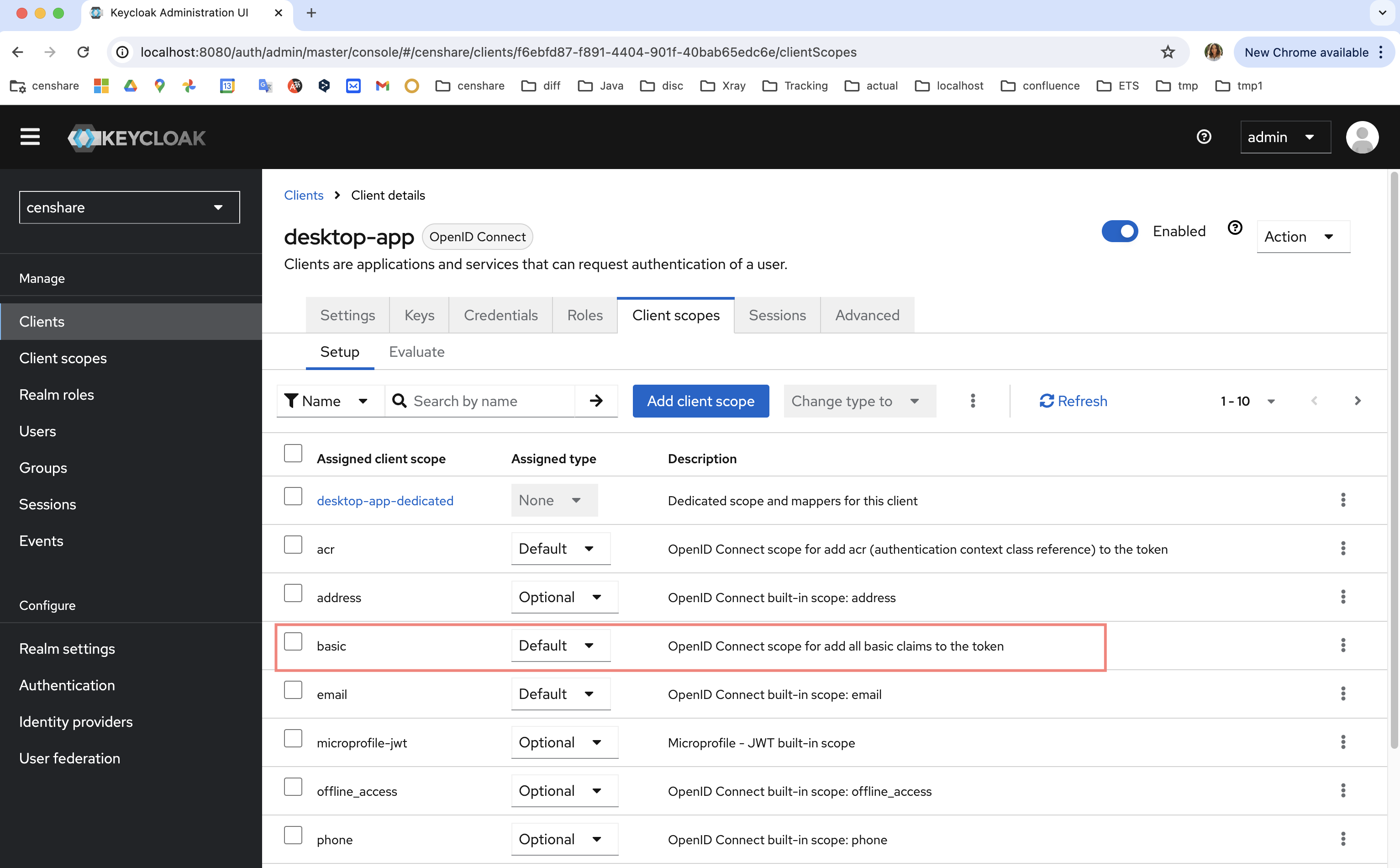
If you are using Keycloak 25 or higher, check if the basic Client scope contains the session_state mapper:
-
Open Keycloak and open the realm which is configured to use with Censhare.
-
Open Client scopes entry in the left navigation:
-
Open the basic Client scope.
-
Switch to the Mappers tab.
-
Check if the session_state mapper exists:
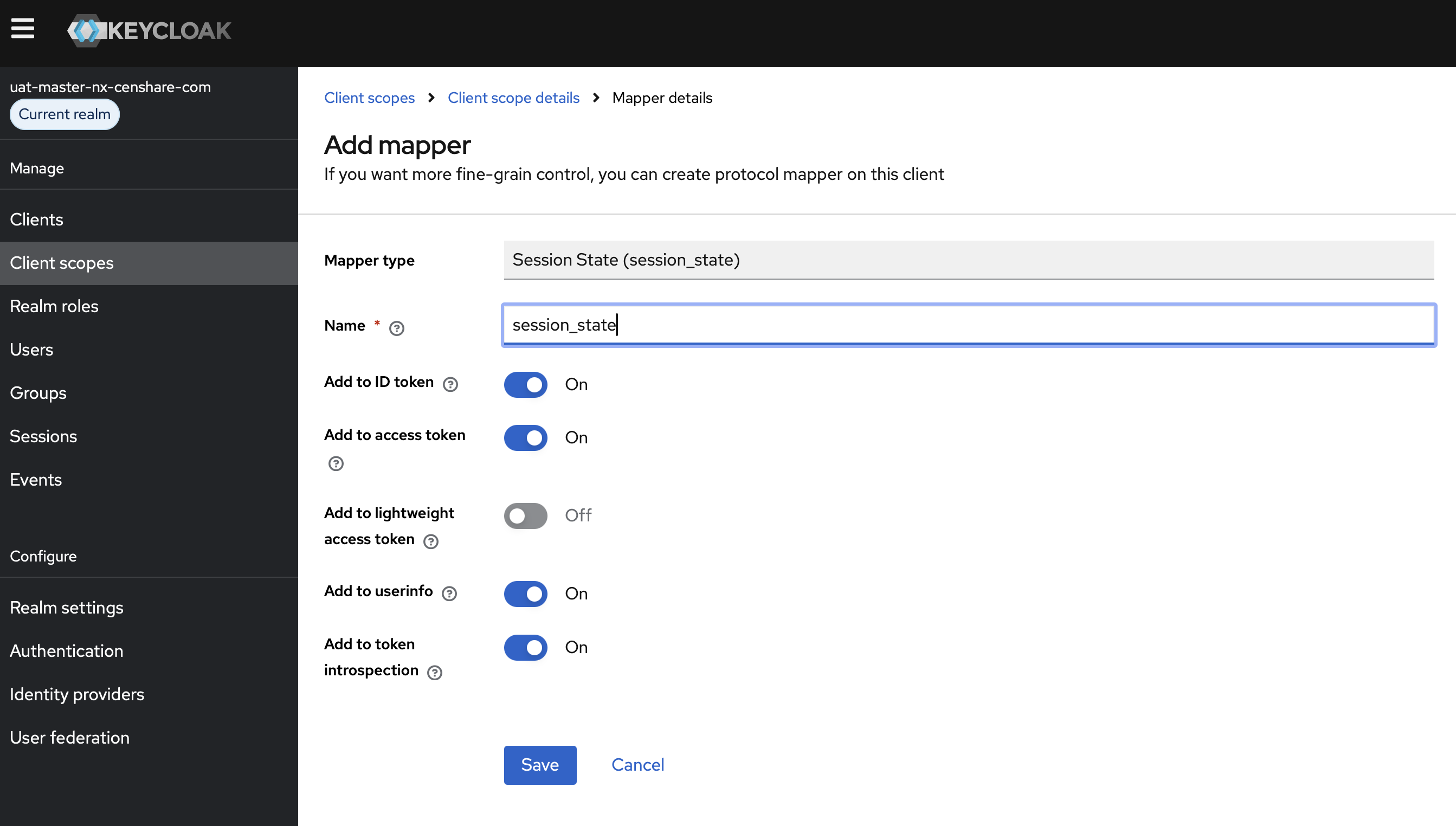
If not, add it:
-
Click Add mapper.
-
Select By configuration.
-
A table opens: click the Session State (session_state) entry.
-
For the Name, enter session_state:
-
Click Save.