
[]
Target groups
-
Administrator (Web)
-
Developer (Web)
Context
The 'DIC' is used by OnlineChannel to create and deliver image variants on-the-fly. It needs some setup but afterwards image sizes can be defined very quickly; precalculated image-variant assets are obsolete.
Configuration
on server
Enable servers support for DIC within the Censhare Admin-Client.
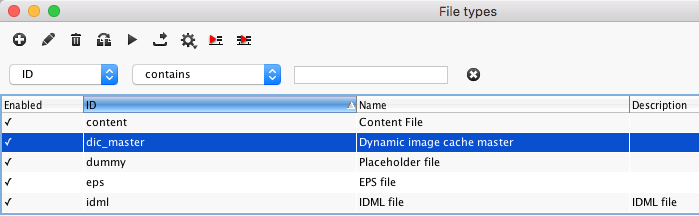
Master Data / File types --> define dic_master
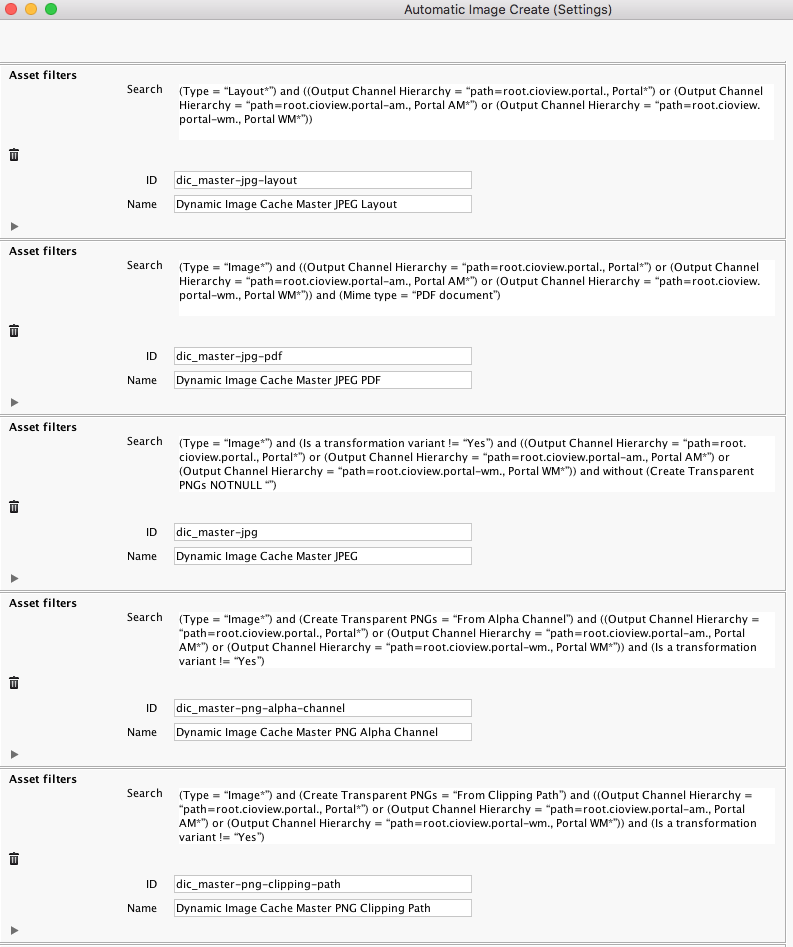
Configuration / Modules / Image
--> Create additional Image [Server=*, Roles=*]
Configuration / Modules / Image
--> Create additional Image (automatic) Dynamic Image Cache Master [Server=*, Roles=*]
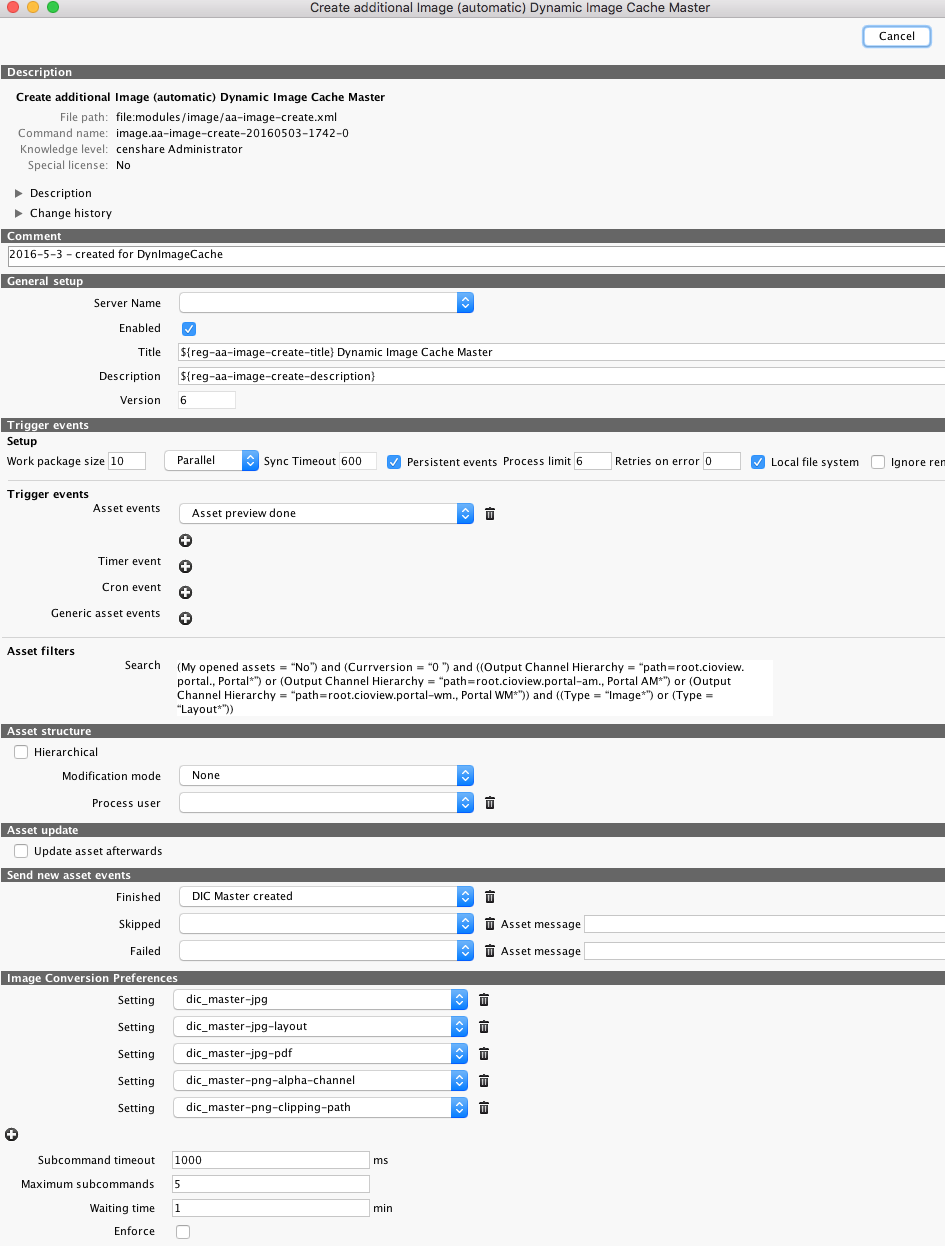
--> Copy necessary features from Standard Portal
-
asure 'DIC:Image format',
-
asure 'Transparente PNGs erstellen'
-
asure cropping to censhare:image-asset-crop.key & censhare:image-asset-crop.source-width, *height & censhare:image-asset-crop.source-y, *x
Satellite
Configure the service in ImageServiceConfiguration.
Simplified example
<config version="1" storage-item="dic_master" storage-path="images" thread-pool-size="2" max-cache-size-in-mb="5000" max-age-in-minutes="1440">
    <rules>
       <size max-pixel-count="9000000"></size>
    </rules>
</config>
Configure the image specifications available to on instance within OnlineChannelConfiguration.
Simplified example
<snip/>
  <image-requesthandler check-permissions="false" enabled="true" dynamic-calculation="false" >
    <image-preset name="m" width="427" quality="90" filetype="jpg" background-color="#FFFFFF"/>
    <image-preset name="xl" width="854" filetype="jpg" background-color="#FFFFFF"/>
    <image-preset name="xxl" width="1024" background-color="#FFFFFF"/>
    <image-preset name="xxs" width="101"/>
    <image-preset name="watermark-preview" width="1024" watermark-asset-id="18705" watermark-opacity="0.7"/>
  </image-requesthandler>
<snap/>
Also check the documentation on the OnlineChannelConfiguration
1 Within skin use: image('ratio').presetName.src to get image url. By defining width or height in preset and ratio in req image size is complete defined.
2 @since 5.7.x On images with transparency add features censhare:transparent-image to generate a DIC master image with transparency and censhare:oc.module.dic-image-type feature to deliver a png file.
good to know
-
you can not prevent the 'upscaling' of smaller images in DIC
-
prevent using DIC, use master file (Feature: "Hauptdatei syncronisieren", cs-src=".node.@@model.image.isMasterStorageAvailable?string(.node.@@model.plain.master.src, .node.@@model.m.src)")
-
-
you can prevent cropping of images by adding feature censhare:module.oc.dic-image-no-crop. In this case always the whole image is used and scaled centered in surrounding image with the configurabel background color (default black) or transparent (for png).
-
if cropping fails or area is wrong: on large images with storage item 'master' having more pixel size than 'dic_master' the features censhare:image-asset-crop.reference-width and censhare:image-asset-crop.reference-height must be present to allow adaption of cropping values
-
to have a variable aspect ratio defined in skin do not provide aspect in preset